Microsoft is expanding Copilot’s automation capabilities, allowing organisations to trigger AI-powered tasks directly from events occurring across business applications, including CRM systems, Microsoft Teams and other connected platforms.
The latest expansion of Copilot Cowork introduces support for additional business systems through Power Platform connectors, alongside new plugins and reusable skills designed to help AI complete more complex work.
For marketing and communications teams, the development creates opportunities to automate campaign coordination, customer communications, reporting and other recurring activities.
Instead of manually asking Copilot to perform each task, users can configure workflows that respond when something changes in a connected application.
A new sales opportunity, customer service escalation or incoming marketing request could initiate an AI workflow, gathering relevant information, preparing documents and recommending subsequent actions.
Microsoft is also making these automations easier to configure through natural-language instructions, potentially reducing the technical expertise required to connect AI with everyday business processes.
Copilot Cowork Expands Beyond Microsoft 365
Microsoft introduced Copilot Cowork earlier in 2026 as an extension of its AI assistant, designed to complete multi-step tasks across documents, applications and business information.
Earlier automation capabilities allowed Cowork to respond to incoming emails and Teams messages. The latest update extends event-triggered workflows into additional business applications through Microsoft’s Power Platform connector ecosystem.
For example, a change in a CRM opportunity could initiate the preparation of a sales briefing, while a newly opened customer service case could trigger an internal summary drawing on the customer’s history.
Users describe the event they want Copilot to monitor and the work they want completed. Cowork then proposes an automation, outlining the trigger, intended actions and required permissions.
Once approved, the workflow can run whenever the specified event occurs. Users can review, edit, pause and monitor their automations through Cowork’s interface.
The approach builds on Microsoft’s existing automation technology, including Power Automate and Copilot Studio, while making AI-led task execution more accessible through natural-language instructions.
Marketing Workflows Become More Automated
Marketing and communications teams regularly coordinate activity across CRM platforms, project management tools, analytics systems and shared Microsoft 365 documents.
Connecting these systems to event-driven AI workflows could reduce the manual effort involved in moving information between applications and keeping campaigns progressing.
Consider a marketing team using its CRM to manage campaign enquiries. When a high-value opportunity reaches a particular stage, Cowork could prepare an account briefing using accessible customer information, relevant correspondence and approved marketing materials.
A customer service escalation could similarly initiate an internal communications summary, bringing together the customer’s history and relevant information for review.
Other potential applications include preparing campaign handover documents when project statuses change, summarising incoming marketing requests or drafting follow-up communications after important customer interactions.
The distinction is that these activities can begin automatically when an event occurs, without requiring someone to identify the change and instruct Copilot.
However, the available workflows depend on the connectors installed, the events they support and the permissions granted to Copilot. The examples above illustrate potential configurations rather than ready-made Microsoft marketing automations.
Microsoft Adds More Business Skills
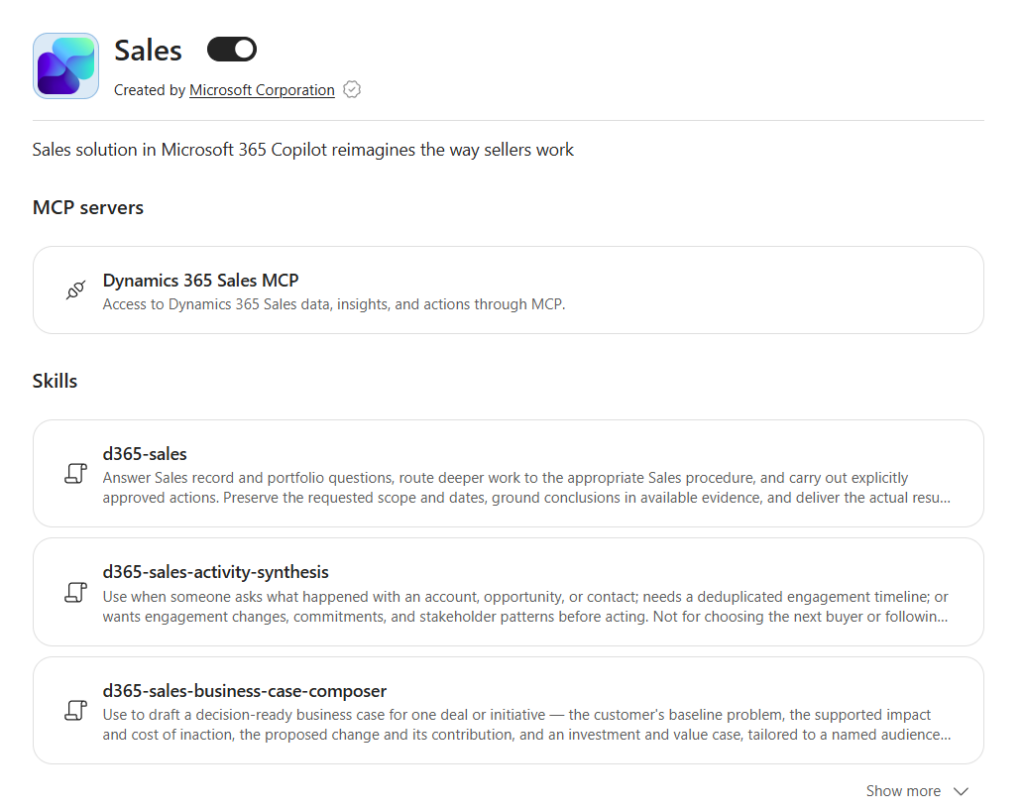
Alongside the automation expansion, Microsoft has introduced new role-specific Cowork plugins for Sales, Service, Education and Legal teams.
The Sales plugin includes capabilities for preparing customer meetings, drafting follow-up communications, prioritising opportunities and reviewing changes across sales pipelines.
Microsoft is also expanding Cowork’s task catalogue with suggested activities for Marketing, Finance, Sales, Customer Service and executive roles.
Organisations can create reusable skills that provide Copilot with instructions for completing particular activities, including the information to consult, processes to follow and expected outputs.
For example, a marketing team could establish a standard approach to preparing campaign briefs, incorporating its preferred structure, brand requirements and approval procedures.
Combined with event-triggered automation, these skills offer a way to make recurring activities more consistent across teams.
Where To Find The New Capabilities
The automation functionality sits within Copilot Cowork, accessible through the Microsoft 365 Copilot experience for eligible organisations.
Users can create an event-driven workflow by navigating to:
Cowork → Automations → Add → Create with Cowork
From there, they describe the event to monitor and the task Copilot should undertake. Cowork generates a proposed automation, including the actions and permissions required.
The expanded plugin library is available through the Customize area, where users can browse integrations and role-based skills.
Microsoft says the new Power Platform connectors are rolling out over the coming weeks, while the expanded task catalogue, including marketing examples, is scheduled to become available by the end of October.
Administrators determine which plugins and connectors employees can access, and organisations require appropriate Microsoft 365 Copilot licensing and Cowork access.
Copilot Automation Introduces New Running Costs
Microsoft’s expanded automation capabilities also introduce an important commercial consideration. Copilot Cowork operates on consumption-based pricing, with usage charged separately from existing Microsoft 365 Copilot subscriptions.
Microsoft charges US$0.01 per Copilot Credit on its pay-as-you-go plan, with discounted pricing available through annual commitments.
According to Microsoft’s published estimates, relatively simple Cowork tasks typically consume 100 to 300 credits, equivalent to US$1 to US$3. Medium-complexity tasks cost approximately US$3 to US$7, while more demanding activities can exceed US$7 per execution.
For a marketing team running 20 medium-complexity automations each working day, the additional monthly bill could reach US$1,200 to US$2,800, assuming 20 working days.
Actual costs depend on task complexity, the AI models involved and the number of applications and information sources accessed.
Budgeting is also complicated by limited upfront cost visibility. Although Cowork allows users to inspect consumption through its /cost command, Microsoft currently provides no reliable way to calculate the full cost before executing a task.
Administrators can establish spending limits, monitor usage and allocate credit budgets to individuals or teams.
Agentic AI Brings Wider Cost Considerations
The pricing challenge extends beyond Microsoft. As ChatGPT, Claude, Copilot and other AI platforms introduce more capable agents, organisations increasingly face consumption-based costs linked to the amount of work those systems perform.
Agentic workflows can involve multiple AI model calls, external tools, information retrieval and repeated processing. Some platforms include usage allowances within subscriptions, while others charge separately for additional activity or specific capabilities.
Costs can also multiply when agents operate automatically. A workflow costing US$5 per execution may offer excellent value when it replaces an hour of manual work. Run hundreds of times each month, however, and the economics require closer examination.
For marketing and communications teams, potential automation use cases should be assessed against their frequency, complexity and expected business value.
Ideally, these decisions should form part of a wider team or organisational AI strategy and implementation roadmap, with opportunities identified, evaluated and prioritised systematically.
Teams can then test selected workflows, establish whether the necessary systems and connectors support them, and measure actual running costs against time saved, output quality and business outcomes. Appropriate governance, access controls and human oversight should be built into the implementation process.
Microsoft’s latest Cowork expansion provides another route for organisations to automate activities across their existing business applications. Its value will ultimately depend on how effectively those capabilities are integrated into broader AI plans, operational processes and investment priorities.















RECOMMENDED FOR YOU
[STUDY] Only 6% Of Marketing Teams See Major AI Returns
AI adoption is almost universal across marketing departments, yet…
AI adoption is almost universal across marketing departments, yet…
Canva’s New AI Model Targets Everyday Design Work
Canva has launched its own AI image generation model,…
Canva has launched its own AI image generation model,…
Instagram Edits Gets A Major AI Upgrade
Instagram is bringing AI-powered content analysis and planning into…
Instagram is bringing AI-powered content analysis and planning into…